
What Is Taking Up Your Digital Space? A Practical Guide to Organizing Data and Backups

- Tech Support
- June 23, 2026
Digital clutter does not always look like a problem at first.
It looks like old folders that no one wants to delete. Duplicate files in three different places. Former employee accounts that still exist. Shared drives with names like “Final,” “Final_final,” and “Use This One.” Cloud storage that keeps growing, but no one is quite sure what is actually in it.
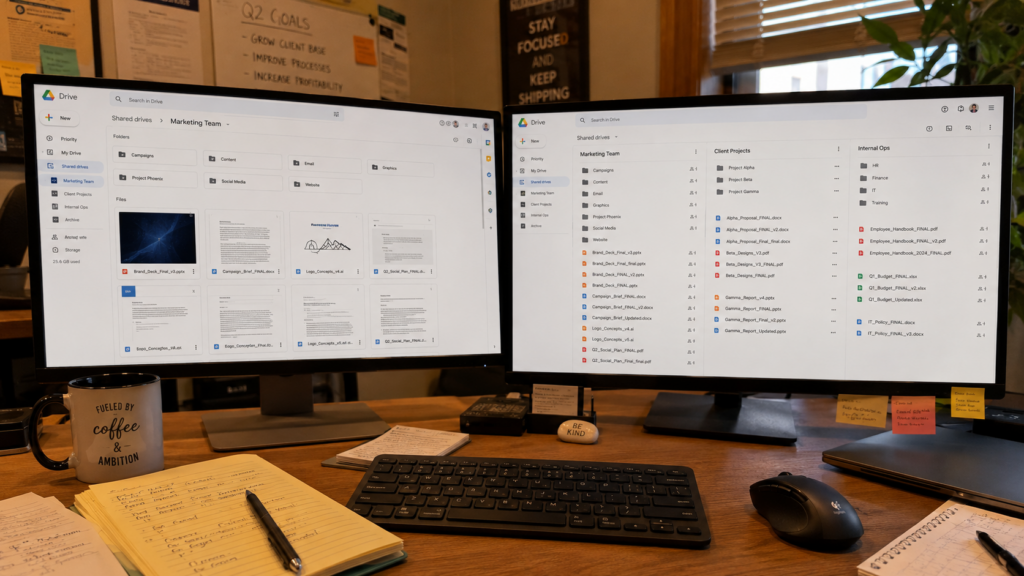
For small businesses and nonprofits, this can create more than a storage issue. When data is scattered, outdated, or poorly labeled, it becomes harder to protect, harder to backup, and harder to recover when something goes wrong.
Organizing your data is part of cybersecurity. Backing it up properly is part of business continuity. Together, they help your team work with more confidence and less guesswork. Here is how to start.
Digital Clutter Is More Than an Annoyance
When your digital space is messy, everyday work slows down.
Teams waste time searching for the right file. Staff save documents locally instead of in approved systems. Old versions circulate by mistake. Sensitive information may live in places no one is monitoring. And over time, all of this creates risk.
A disorganized file environment can make it harder to answer basic questions like:
- Where is our sensitive data stored?
- Who has access to it?
- What needs to be backed up?
- What can be archived or deleted?
- What would we need first if systems went down?
If your team cannot answer these questions quickly, your backup strategy may not be as strong as you think.
Start by Identifying What Data Actually Matters
Not all data carries the same weight.
A folder of old event photos does not need the same protection as payroll records, donor data, client contracts, financial reports, or legal documents. The first step is understanding what information is business-critical.
For small businesses, that might include customer records, invoices, HR documents, contracts, accounting files, and operational systems.
For nonprofits, it may include donor records, grant documentation, financial reports, program data, board materials, and sensitive client information.
Once you understand what matters most, you can prioritize how that data is stored, protected, and backed up.
Know Where Your Data Lives
This is where many organizations get surprised. Your data may live across:
- Google Drive or Microsoft SharePoint
- Dropbox or other file-sharing tools
- Employee desktops
- Personal devices
- Email attachments
- CRM or donor management platforms
- Accounting software
- External hard drives
- Vendor-managed systems
That spread is normal, but it should not be invisible. The goal is not to centralize everything overnight; the goal is to create visibility. Your team should know where important information lives, which systems need the strongest protection, and where work products should be saved.
This is especially important when files are saved to personal devices, desktops, or individual folders instead of an appropriate shared location. It may feel convenient at the moment, but it can make important work harder to find, harder to back up, and harder to access if someone is out, leaves the organization, or an urgent issue comes up.
Without that visibility, backups become incomplete. Security reviews become harder. Offboarding becomes risky. And when something breaks, recovery takes longer.
Clean Up Before You Back Up
Backing up everything may sound safe, but it can also create unnecessary cost and confusion.
If your storage is full of duplicates, outdated files, personal downloads, and abandoned folders, your backups will copy that clutter too. That makes recovery slower and storage costs higher.
Before building or improving a backup plan, take time to clean up. Start with practical questions:
- Which files are current and actively used?
- Which folders belong to former employees?
- Which records need to be kept for compliance or business reasons?
- Which files are duplicates?
- Which data should be archived instead of kept in active storage?
We always recommend assigning a data point person who can keep the process moving. This person does not need to own every decision, but they can coordinate regular checks, remind staff of best practices, and help remove duplicate or outdated files once leadership confirms what should stay and what can go.
This does not need to happen all at once. Even a quarterly review of shared drives and cloud folders can make a meaningful difference.
Build a Backup Strategy Around Recovery
A backup is only useful if it helps you recover. Many organizations assume their data is safe because it is “in the cloud.” Cloud platforms are powerful, but cloud storage is not the same as a complete backup strategy. Files can still be deleted, overwritten, encrypted by ransomware, or synced incorrectly.
A stronger backup plan should answer:
- What systems are backed up?
- How often are backups created?
- Where are backups stored?
- Who verifies that backups are working?
- How quickly can critical data be restored?
- When was the last recovery test completed?
The last question matters most. If you have never tested a restore, you do not fully know whether your backup plan works.
Use the 3-2-1 Backup Rule as a Starting Point
One common framework is the 3-2-1 backup rule.
The idea is simple: keep three copies of important data, store them across two different types of storage, and keep one copy offsite. For many small businesses and nonprofits, this might mean having the original file, a cloud backup, and a separate protected backup outside the main system.
This is not a one-size-fits-all answer, but it is a helpful starting point.
Modern backup planning should also consider ransomware resilience, access control, and whether backups can be changed or deleted by the same accounts used every day. If an attacker compromises an admin account, backups should not be easy to erase.
Review Access While You Organize
Data cleanup and access control should happen together. As you review folders and systems, check who can open, edit, download, or share sensitive files. This is especially important for remote teams, hybrid workplaces, nonprofits with volunteers, and businesses with outside vendors.
Access tends to expand quietly. Someone gets temporary permission for a project. A consultant is added to a shared folder. A former employee account remains active. Over time, the list of people with access becomes longer than it should be. A good review asks:
- Does this person still need access?
- Is this access tied to their role?
- Are admin permissions limited?
- Are former employees fully removed?
- Are shared links still active?
Decide What to Archive, Delete, or Protect
Once you know what you have, where it lives, and who can access it, you can decide what happens next.
Some data should stay active because your team uses it often. Some files should be archived because they must be retained, but do not need daily access. Some should be deleted because they create clutter or risk without business value. Some should receive stronger protection because they contain sensitive information.
This is where many teams get stuck. No one wants to delete the wrong thing. No one wants to keep everything forever, either.
A simple data retention policy can help; it defines how long different types of records should be kept, who owns them, and when they should be reviewed.
Make Data Organization Part of Your Routine
Digital cleanup should not be a once-a-year panic project. It works best when it becomes part of normal operations. That can look like:
- Quarterly shared drive reviews
- Annual access audits
- Clear naming conventions
- Offboarding checklists
- Backup restore testing
- Regular archive reviews
- Defined ownership for key systems
Small habits prevent large messes. The more your organization grows, the more important this becomes. More employees, more tools, more vendors, and more files all create more places for data to hide.
When Your Digital Space Needs More Structure
At some point, organizing files and setting up backups becomes bigger than a cleanup task.
That usually happens when your team depends on multiple cloud platforms, handles sensitive data, works remotely, or has compliance and cyber insurance requirements to meet. That is where structured IT oversight and responsive support make a difference.
DeepTech works with small businesses and nonprofits to assess where data lives, identify backup gaps, review access, and build practical systems that support long-term stability. The goal is not to make technology more complicated; it is to make your digital environment easier to manage, easier to protect and recover.
Your data should not feel like a mystery. It should be organized, backed up, and ready when your team needs it.